Shift Swapping has Arrived
In Product Updates by Renee Phelan | September 18, 2018 ∙ 4 min read
Find the best replacement, fast
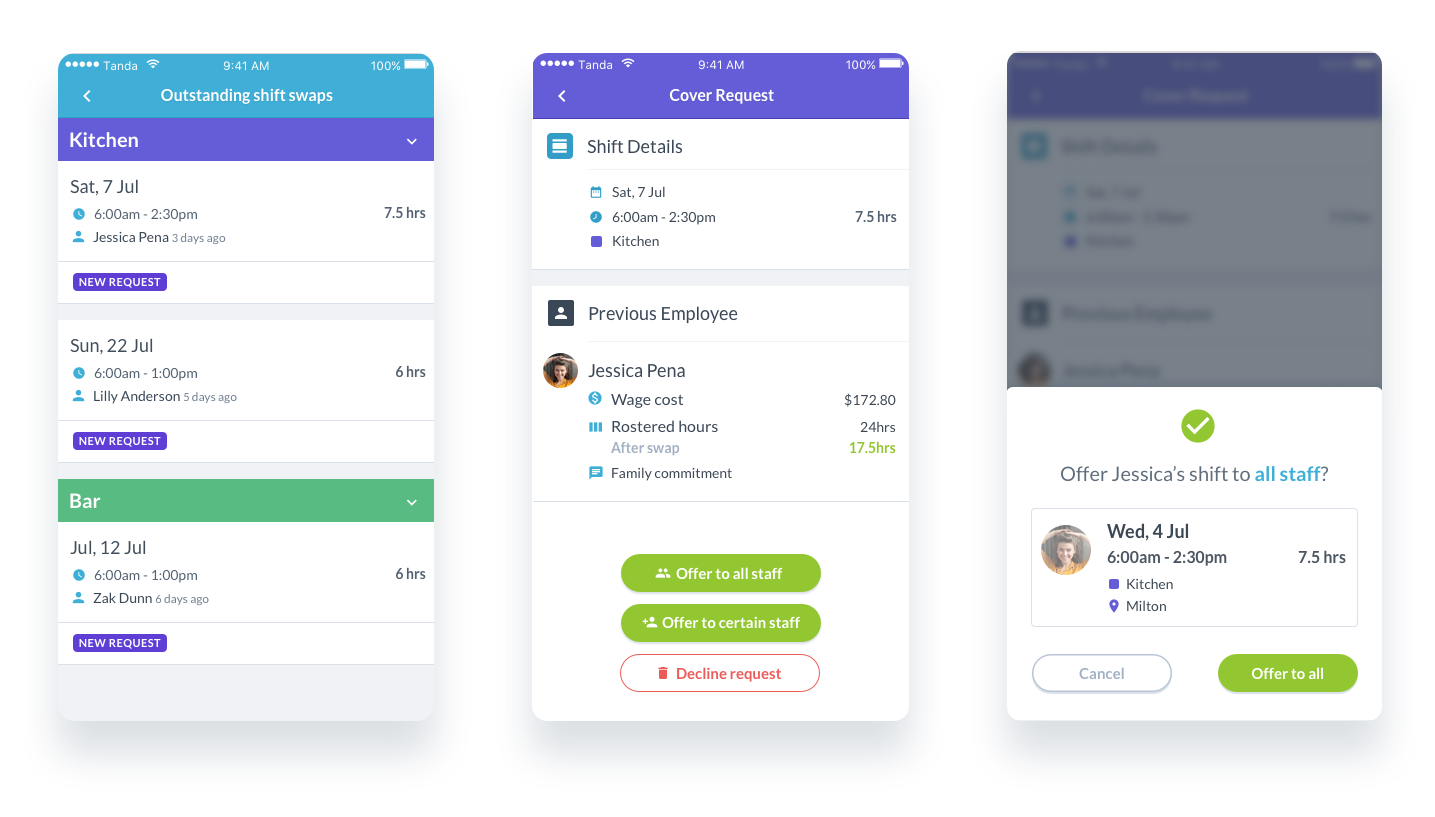
Sometimes even the best of employees are unable to work a rostered shift. With our new Shift Swapping feature, you can skip the ring around and tedious manual calculations to find a suitable replacement. Our app presents costs, rostered hours, and availability so you can make quick decisions.
With our Shift Swapping feature you can:
- Have complete control and oversight over shift swaps
- Compare rostered hours and wage costs when approving a cover
- Automatically inform staff of roster changes
How it works
When an employee can’t work a shift, the manager is notified and prompted to action the request. From there a shift can be broadcasted to all available staff in that team, or sent to hand-picked employees.
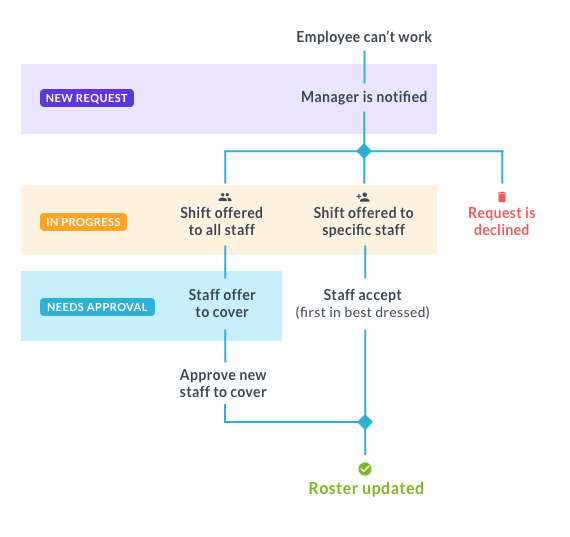
Broadcast to all staff
Once the shift is broadcasted, employees can put their hand up to cover the shift. Managers are notified when ‘good fits’ have offered to cover the shift, and can approve a suitable replacement from a pool of applicants.
A good fit is someone who is:
- available,
- works in the same team,
- and will cost the same (or less).
Selected staff
For hand-picked employees, whoever accepts the shift first ‘wins’ the shift.
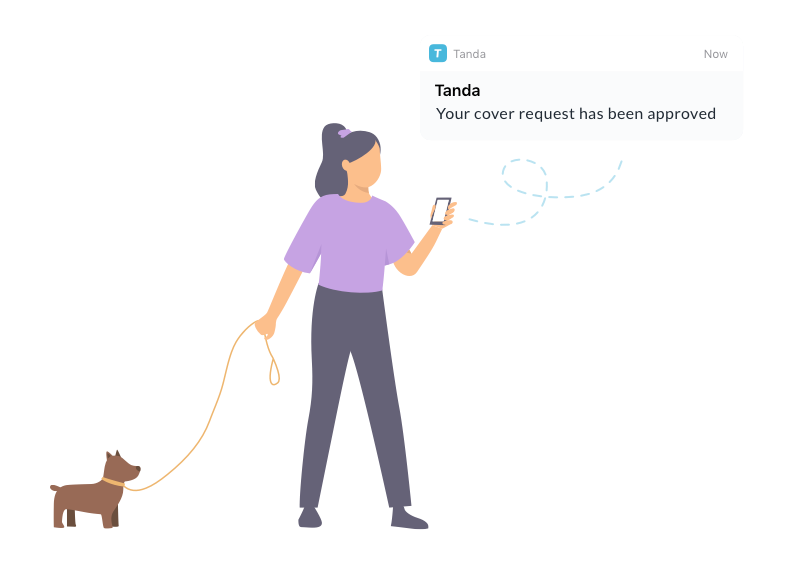
In each of these cases, the original employee is notified whether their cover request was approved or declined, and the new employee is notified of the change to their roster.
At this point you’re probably wondering, ‘what if I forget to action a new request?’ We have included an auto broadcast system to help with exactly that. If the shift the employee can’t work is less than 3 days away, it will be automatically pushed to ‘in progress’ and sent to all available staff within the team.
If you’re more of a hands-off manager and don’t want to spend any time approving shift swaps, you can turn off Manager Approval in the Roster tab in General Settings.
What’s next
We’re working on optimising the process for finding last-minute replacements. This way, when an employee calls in sick you can initiate the process.
We plan to incorporate open shifts into this feature, where employees can offer to fill open shifts.
So you can keep an eye on how many times your staff request to drop or cover shifts, we’ll make it easy by showing this information during the approval process.
FAQs
Can employees swap shifts outside their team?
Employees can only swap within teams they have been assigned to.
Why am I not receiving notifications?
To receive notifications you need to be a Team Manager in your employee settings, and be assigned to the relevant teams. Check that you haven’t turned notifications off for the Tanda App.
Will the feature be available on desktop?
Yes, we will be building shift swapping in My Tanda in the future.
Can employees find their own replacement?
No, our feature has not been designed for employees to find their own replacement. This is deliberate to provide managers more control and oversight over costs.
Can employees trade shifts with each other?
No. Our cover request system is designed to minimise the number of requests and roster changes. Shift ‘trades’ can be done manually by editing the roster.
What if I don’t want my staff to access this feature?
You can turn the feature off in General settings if you’d prefer to manually manage swaps between your staff.

Renee is the Head of Product at Tanda. She is responsible for ensuring Tanda is constantly improving to cater to the evolving needs of businesses and their staff.